Service introduction
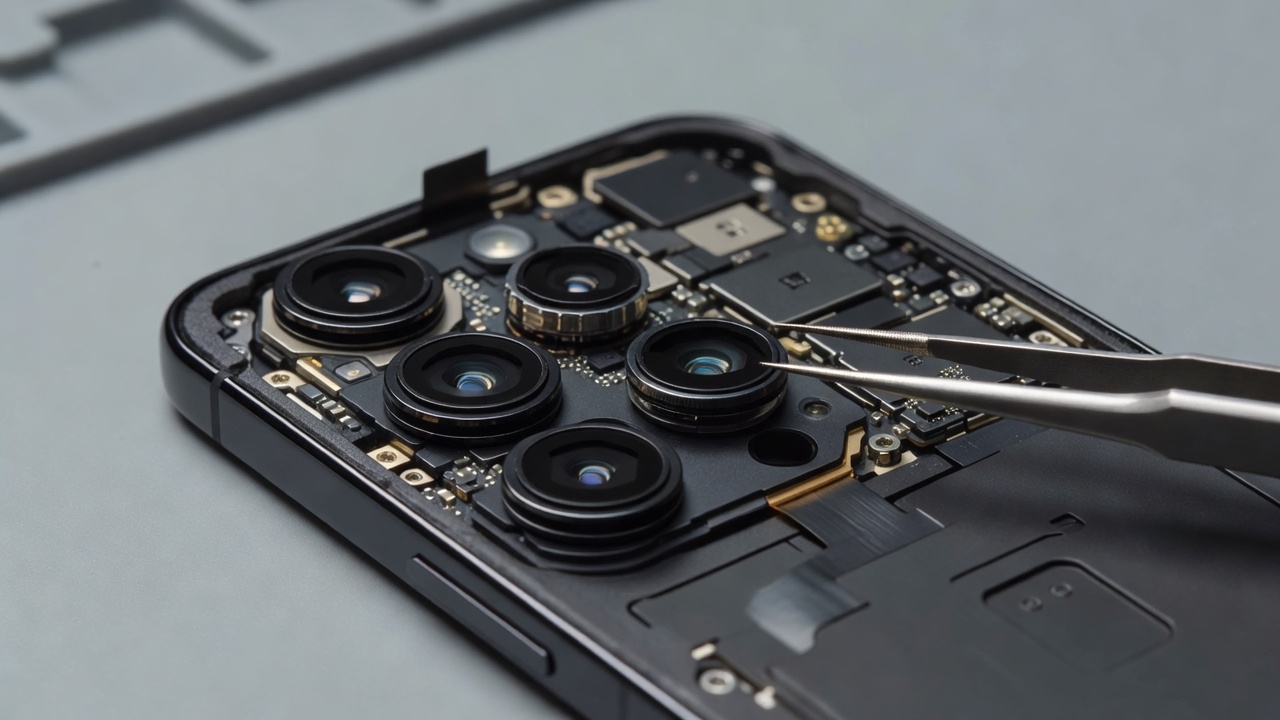
Smartphone cameras capture family moments, workplace documents, travel memories across Telemark landscapes and quick practical photos of products or receipts. When focusing fails, images blur, the viewfinder freezes black, or one lens in a multi-camera array stops cooperating, the device loses a major part of its everyday value. chroniclebuddyrel provides camera repair information that helps visitors describe symptoms clearly and understand the difference between software and hardware causes.
Camera problems can originate in smudged glass, protective case interference, software modes, focus mechanisms, stabilisation hardware, module damage after drops, or connection faults. A careful approach avoids replacing modules for issues that a setting or lens obstruction could explain—while still recognising when professional module inspection is warranted.
Common symptoms
- Consistently soft or blurry photos even in good light
- Autofocus that hunts endlessly or never locks
- One camera lens working while another fails on multi-lens phones
- Black screen inside the camera app
- Cracked or scratched camera glass over the lens array
- Unusual spots, haze or fog-like artifacts in images
- Camera app crashes when switching modes or lenses
- Video that jerks, blurs during motion, or loses focus mid-recording
- Flash timing or portrait-mode depth errors that suddenly appear after impact
What the service involves
Camera repair discussions typically start with which lenses fail, whether front and rear cameras differ, and whether problems followed a drop, pocket abrasion or software update. Service context includes reviewing sample images if available, understanding which modes fail (photo, video, macro, wide), and determining whether the camera glass, the module, or the application layer is the primary suspect.
Professional inspection can consider lens window condition, module seating, focus behaviour during controlled targets, and whether impact transmitted force through the rear housing into the imaging assembly. For phones with protruding camera islands, everyday surface contact is a frequent contributor to glass wear.
Diagnostic considerations
Software versus hardware causes should be separated thoughtfully:
- Does the problem remain after restarting the phone?
- Do third-party camera apps show the same fault as the default app?
- Are only computational modes affected, or all basic photo capture?
- Is the outer camera glass cracked, pitted or heavily smeared?
- Did symptoms begin immediately after a fall onto the camera side?
- Does switching lenses change the behaviour in a repeatable way?
Hardware clues include cracked lens glass, rattling sounds near the module area after impact, focus mechanisms that chatter without locking, and complete black feed from a specific sensor. Software clues include issues that appeared right after an OS update, permissions problems, or faults isolated to a single application.
Repair considerations
Repair pathways may involve camera glass service, module replacement considerations, connector checks, or software troubleshooting first. Model-specific construction matters: some assemblies combine multiple sensors; others allow more targeted attention. Alignment and dust control during module service affect image quality afterward.
Not every blurry image equals a failed camera. Motion blur, low light, dirty glass and incorrect mode selection remain common non-hardware causes. A responsible discussion keeps those possibilities visible without dismissing genuine hardware damage.
Device-use guidance
Clean outer lens glass gently with appropriate soft materials—never abrasive cloths. Ensure cases do not obstruct lenses or microphones near the camera bar. Avoid placing phones camera-down on rough stone. If the camera glass is already cracked, prevent glass fragments from spreading and seek inspection rather than pressing on the island.
When professional assistance may be appropriate
Professional assistance is appropriate for cracked camera glass, persistent focus failure, black camera feed, module damage after impact, or imaging problems that remain after basic software checks. It is also appropriate when only one lens in an array fails consistently.
Post-repair checks
- Still photo sharpness on near and mid-distance subjects
- Focus lock speed in ordinary indoor light
- Video focus stability during slow movement
- Switching between lenses on multi-camera devices
- Front camera functionality for calls and self-capture where relevant
FAQ — camera repair
Motion, low light, dirty glass, or intermittent focus faults can all create inconsistent results. Note whether blur happens on a specific lens or in specific modes.
Yes, occasionally app or system updates change camera behaviour. If hardware checks look normal, software troubleshooting becomes more important.
Not always. Sometimes the outer glass is the main damaged part while the module still focuses correctly. Inspection determines what is actually required.
Further pressure can worsen cracks. Protect the area and seek assessment if glass is broken or image quality has collapsed.
Related services
See also software troubleshooting, screen repair, phone diagnostics and water and moisture inspection.